 Nodline
For Shopify purchase orders
Get supplier sign-off before you place the order.
Nodline sends your draft purchase orders to suppliers for line-by-line confirmation, and flags short quantities and later delivery dates before you mark them Ordered.
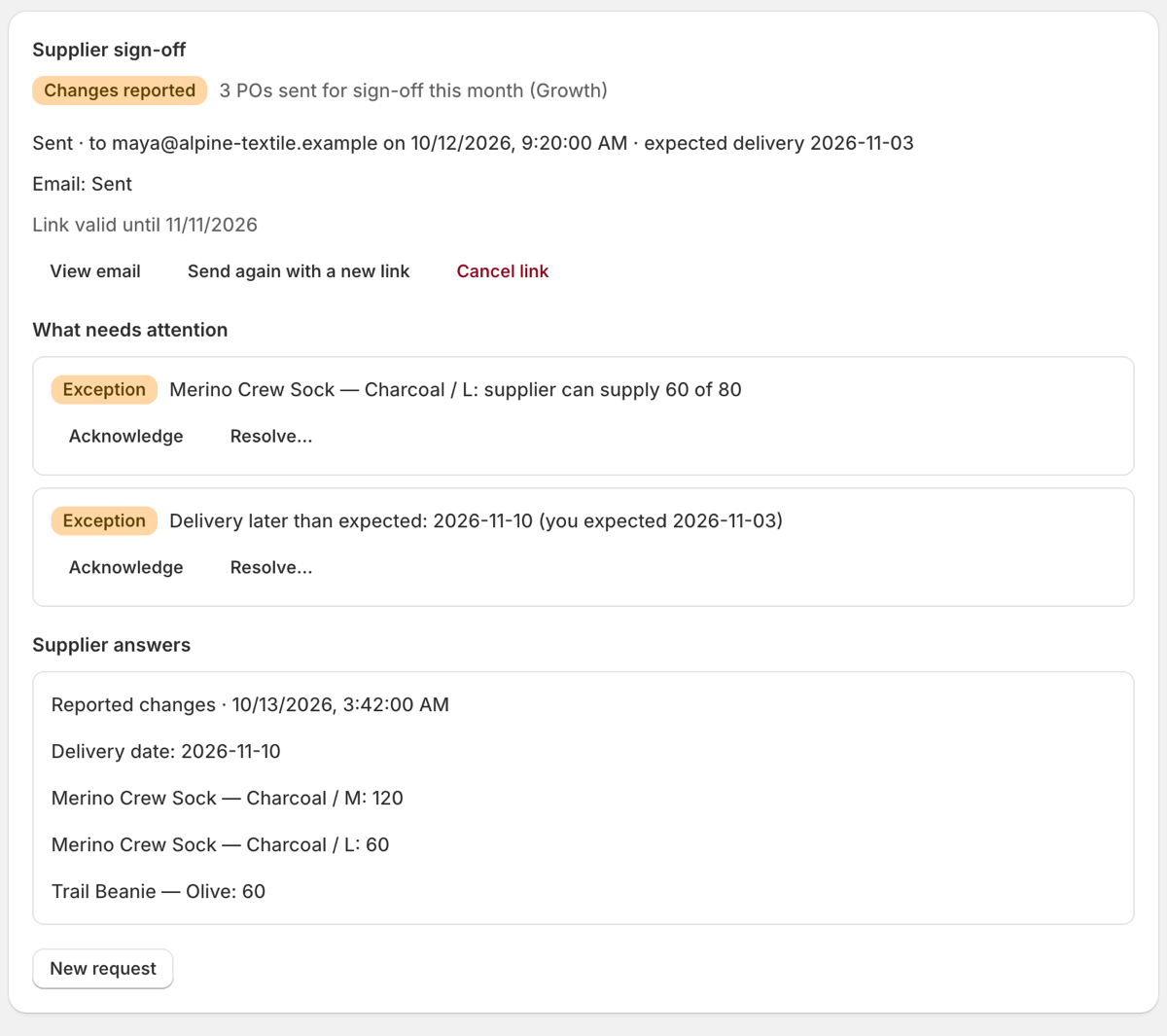
How it works
- 1
Send a draft purchase order
Open a draft (or ordered) purchase order from Shopify in Nodline, review the message, and send it to your supplier.
- 2
Your supplier answers
They open a secure link, no account needed, and confirm the order as listed or enter the quantity and delivery date they can commit to.
- 3
See what changed
Nodline compares the answer with your purchase order, line by line, and flags short quantities, overages and later dates.
- 4
You decide
Adjust the order, follow up, or mark it Ordered in Shopify when you’re ready. Nodline never changes your purchase orders.
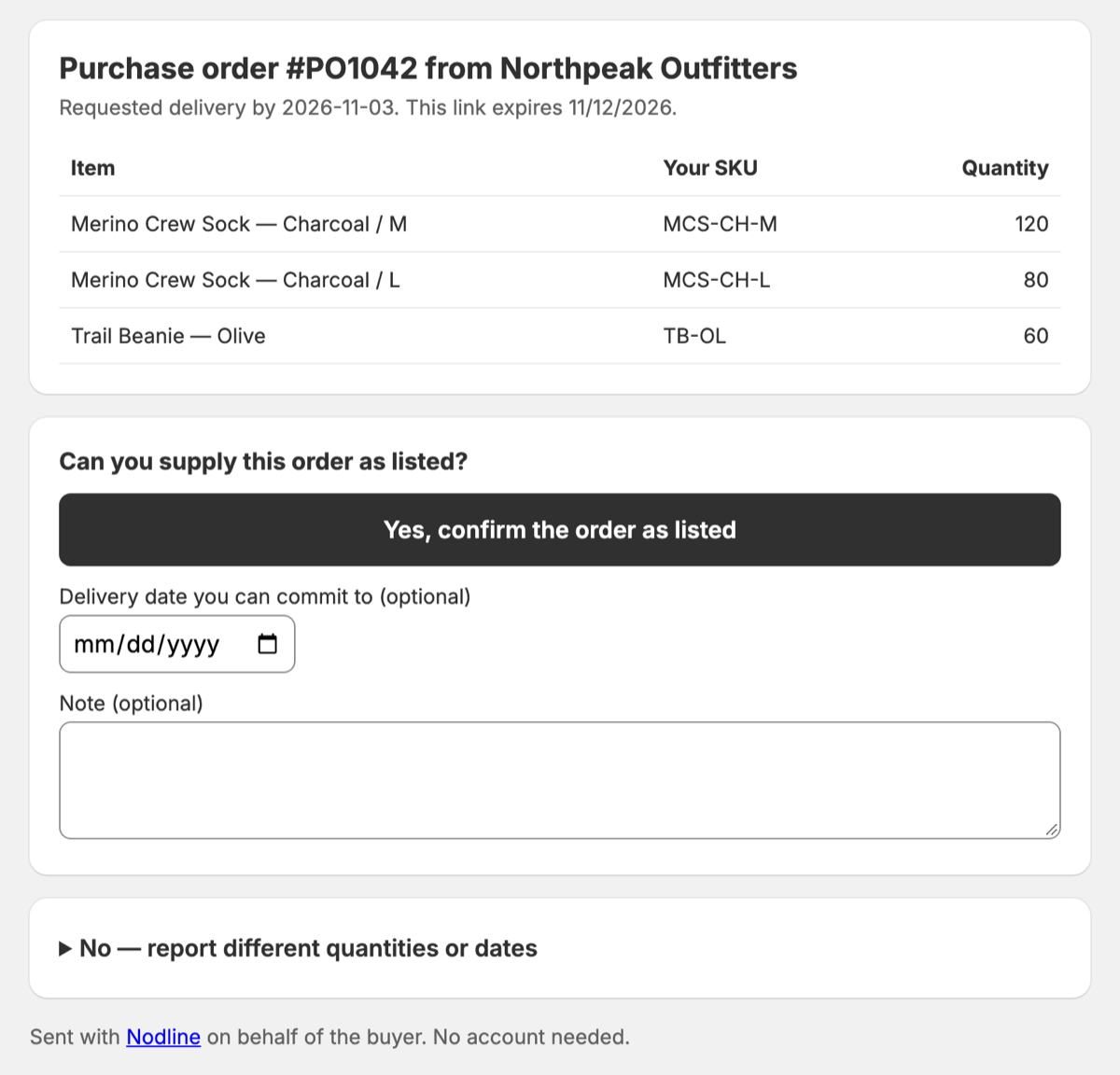
Simple for suppliers
One button to confirm the order as listed. If something’s different, they enter what they can supply for each line and when, plus an optional note. It works on a phone, with no login.
- Works with Shopify’s purchase orders. Reads the purchase orders you already create in Shopify. No re-typing, no separate PO system.
- No supplier accounts. Suppliers answer from a secure link in an ordinary email. Their email replies go to your purchasing inbox.
- Read-only and private. Nodline can’t modify your store. It doesn’t store your customers’ data, and the supplier page has no trackers.
Pricing
Billed through Shopify. Follow-ups on the same purchase order are free.
Free
$0/month
5 purchase orders a month
Starter
$19/month
50 purchase orders a month
Growth
$49/month
Unlimited purchase orders (fair use)
Questions
Does Nodline change my purchase orders?
No. Nodline is read-only. It never edits a purchase order or marks it as Ordered. That stays your decision in Shopify.
Which purchase orders does it work with?
Shopify’s built-in purchase orders (Products → Purchase orders), drafts and ordered ones. You need purchase orders in Shopify for Nodline to show anything.
Why do I enter supplier emails?
Shopify doesn’t share supplier email addresses with apps, so you add each supplier’s email once.
Does my supplier need to sign up?
No. They confirm in one click or report different quantities and dates from a secure link that expires.
Where do supplier replies go?
To the purchasing email you confirm in Nodline’s settings.
What counts toward my plan?
Each unique purchase order you send for confirmation in a calendar month. Follow-ups on the same purchase order are free. Plans are billed through Shopify.
Something else? support@nodline.app